

Creating an Event Destination
This guide helps developers integrate with Crewsum by setting up webhooks to receive real-time event notifications. You’ll learn how to create an event destination, configure your endpoint, and secure your webhook with a verification key.
Prerequisites
Section titled “Prerequisites”You must be an Administrator in your Crewsum tenant to access webhook settings. If you don’t have admin access, contact your tenant administrator.
Create an Event Destination
Section titled “Create an Event Destination”-
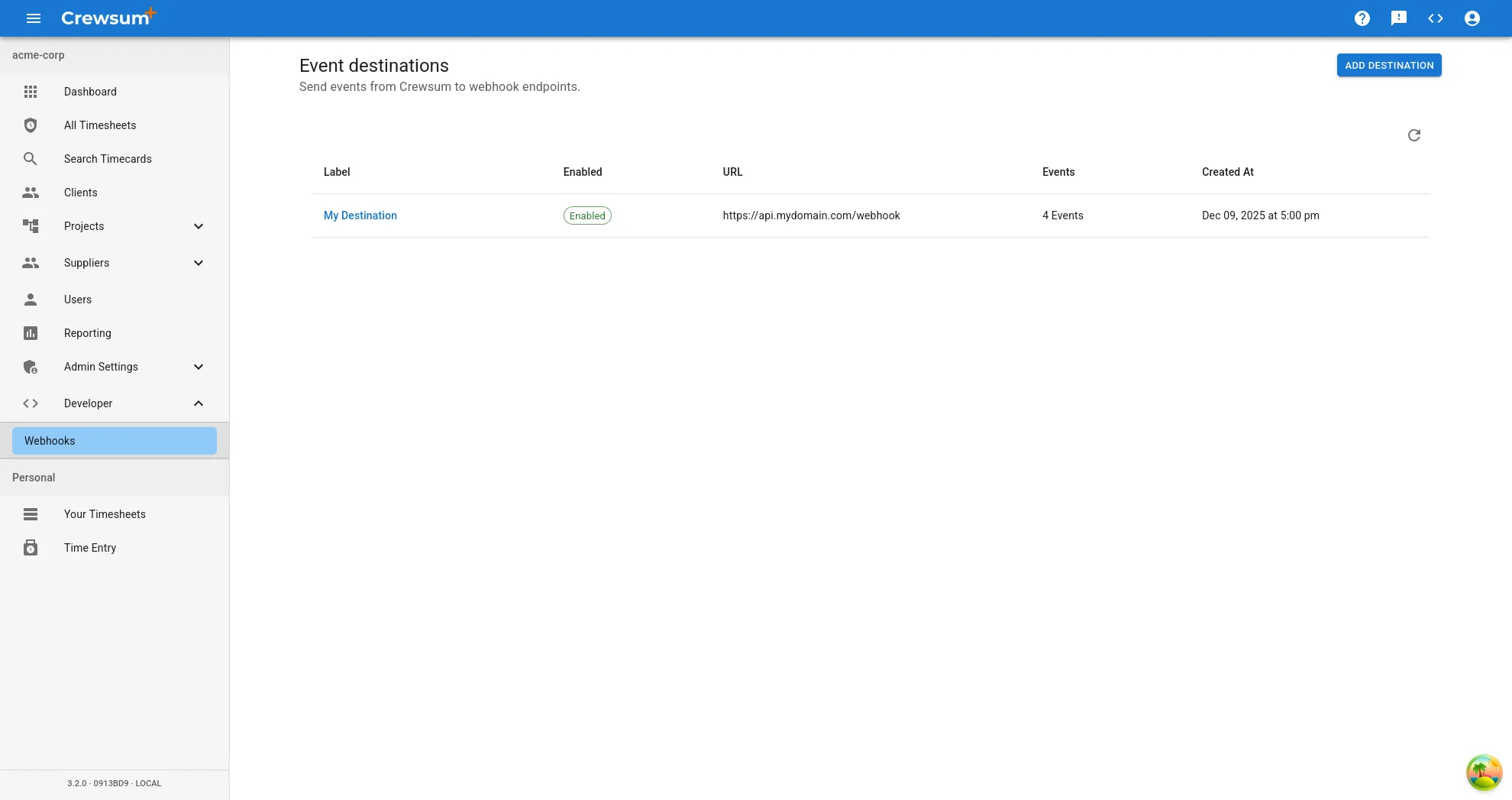
Navigate to the Webhook Page in your Crewsum application.
-
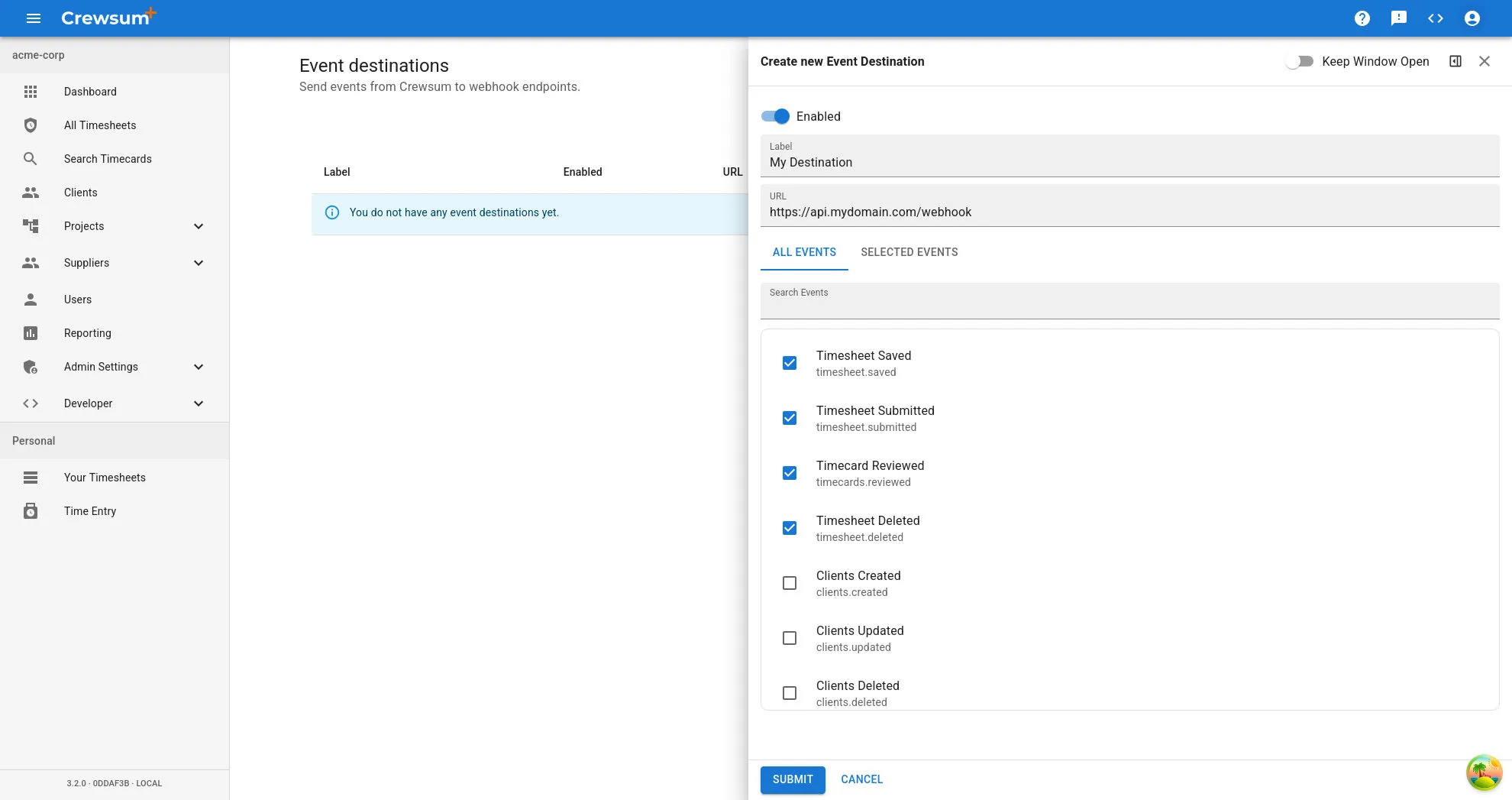
Click Add Destination to create a new webhook endpoint.
-
Complete the form with the following details:
- Name: A descriptive name for your webhook (e.g., “Order Processing Webhook”).
- Endpoint URL: The HTTPS URL where Crewsum will send event notifications.
- Events: Select at least one event type to listen for.
-
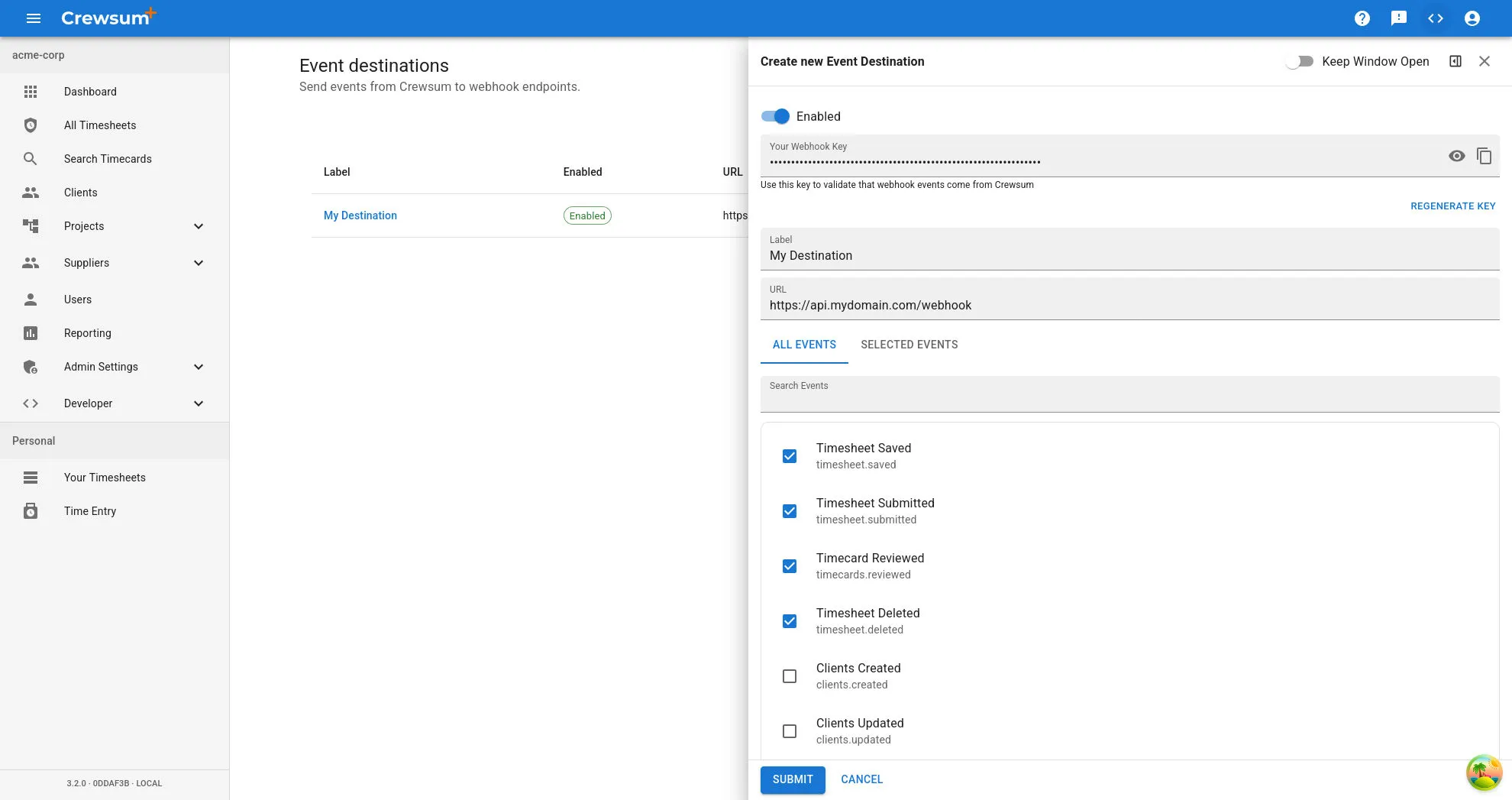
Click Create to save your webhook configuration.
Webhook Security
Section titled “Webhook Security”After creation, Crewsum generates a unique Webhook Key. Store this key securely and use it to verify that incoming requests originate from Crewsum. Include this key in your endpoint’s request validation logic to prevent unauthorized access.